
Optimize Your Small Gaming Room with These Ideas

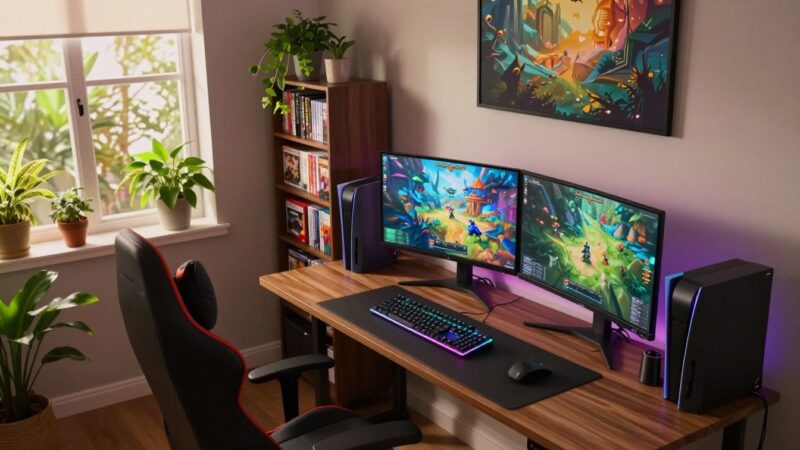
Designing an immersive environment in a tiny residence is often difficult for enthusiasts.
You must utilize every inch of your available space to build an efficient station.
Implementing clever strategies makes your daily entertainment much more enjoyable.
This guide covers small gaming room ideas to help you maximize your spatial efficiency.
We demonstrate how a proper arrangement keeps your hardware organized and tidy.
You do not require a massive basement to enjoy a high-end experience.
- Pick vertical shelves to store your extra controllers and headsets.
- Utilize multifunctional furniture to preserve precious floor space.
Consider using compact equipment that provides high performance without taking up space.
Bright lights and mirrors can also make your tiny area feel much larger than it is.
These simple changes create a better vibe for long sessions.
Staying organized is the secret to a great layout in a tight apartment.
We hope these tips help you build the perfect retreat for your favorite hobby.
Begin your transformation today to create the ultimate entertainment sanctuary.
Maximize Floor Space with Smart Furniture Placement
To get the most out of your small gaming room, consider implementing clever furniture placement strategies. Effective gaming space optimization is about making the most of what you have, and it starts with how you arrange your furniture.
Smart furniture placement can significantly enhance your gaming experience by creating a more spacious and comfortable environment. This involves selecting the right furniture pieces and positioning them in a way that maximizes floor space.
Corner Desk Configurations
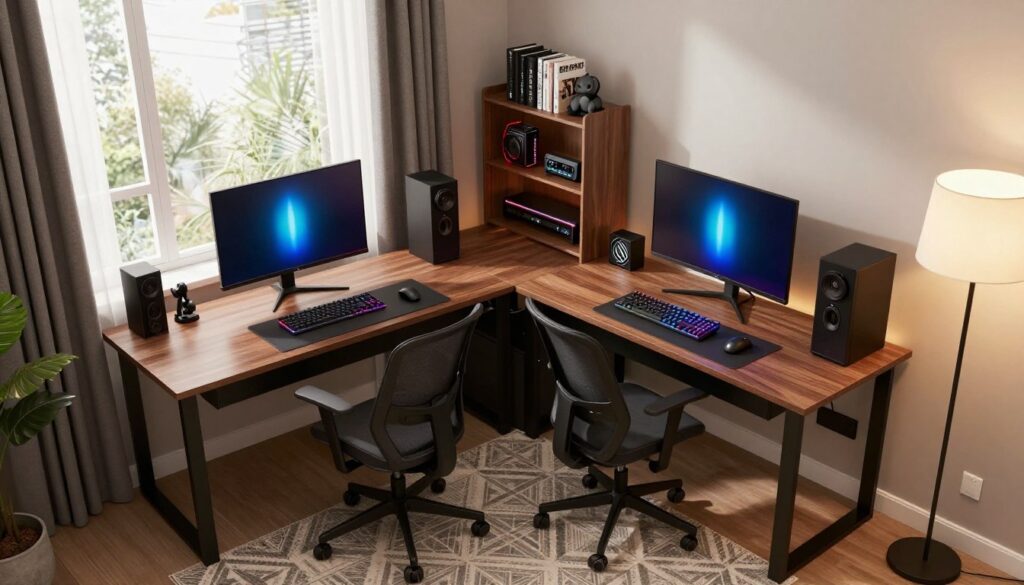
Corner desk configurations are an excellent way to utilize often-wasted corner spaces in small gaming rooms. By placing a desk in the corner, you can create a dedicated gaming area without encroaching on the rest of the room.
L-Shaped Desks for Maximum Surface Area
L-shaped desks are particularly effective in corner spaces as they provide a generous surface area for your gaming setup. They allow you to position your monitor, keyboard, and other gaming peripherals comfortably, creating an immersive gaming experience.
Triangular Corner Units
Triangular corner units are another innovative solution for corner spaces. These units are designed to fit snugly into corners, providing additional storage and workspace without taking up too much floor space.
Wall-Mounted Gaming Stations
Wall-mounted gaming stations are a great way to keep your floor clear and create a sense of openness in your gaming room. By mounting your gaming desk or equipment on the wall, you can free up floor space for other uses.
Floating Desk Installation Tips
When installing a floating desk, it’s essential to ensure it is sturdy and can support the weight of your gaming equipment. Choose a wall with sturdy studs, and consider using wall anchors for added security.
Strategic Equipment Positioning
Strategic equipment positioning is crucial for an optimal gaming experience. Position your monitor directly in front of you, with your keyboard and mouse at a comfortable distance. Consider the placement of other equipment, such as speakers and gaming consoles, to create an immersive experience.
Choose Compact Gaming Furniture That Multitasks
Compact gaming furniture that serves multiple purposes is a game-changer for small gaming rooms. By selecting furniture pieces that offer more than one function, gamers can enjoy a clutter-free and efficient gaming space.
Space-Saving Gaming Chairs
Space-saving gaming chairs are designed to provide comfort without occupying too much space. They come in various designs, each offering unique benefits.
Foldable Floor Chairs
Foldable floor chairs are perfect for small gaming rooms as they can be easily stowed away when not in use, freeing up valuable floor space.
Storage Ottoman Seating
Storage ottoman seating not only provides a place to sit but also offers storage for gaming accessories, keeping the room tidy and organized.
Convertible Desk Solutions
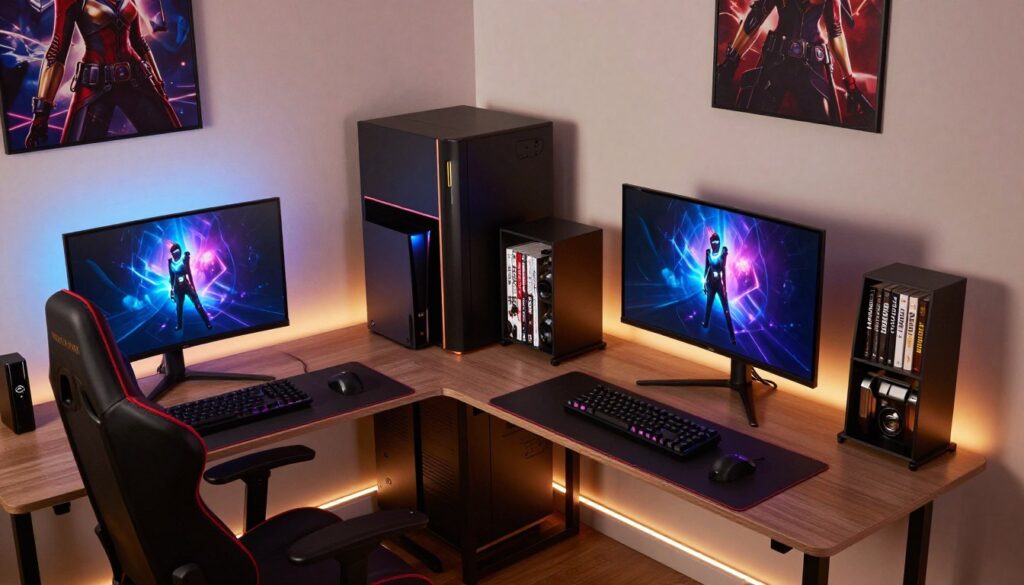
Convertible desks are another excellent option for small gaming rooms, offering flexibility and functionality.
Murphy-Style Wall Desks
Murphy-style wall desks can be folded up against the wall when not in use, creating more space for other activities.
Adjustable Height Desks
Adjustable height desks allow gamers to switch between sitting and standing throughout their gaming sessions, promoting comfort and health.
By incorporating these compact and multitasking furniture pieces into a small gaming room, gamers can create an environment that is both functional and enjoyable.
Implement Vertical Storage Solutions
One of the most effective ways to optimize your gaming space is by utilizing vertical storage options. This approach not only helps in maintaining a clutter-free environment but also ensures that your gaming peripherals and accessories are easily accessible.
Wall-Mounted Organization Systems
Wall-mounted organization systems are a great way to keep your gaming space tidy. These systems come in various forms, including pegboard displays and grid panels, which can be used to hang controllers, headsets, and other gaming accessories.
Pegboard Displays for Controllers
Pegboard displays are highly customizable and can be tailored to fit your specific gaming setup. By using hooks and bins, you can keep your controllers, cables, and other accessories organized and within reach.
Grid Panels for Accessories
Grid panels offer a versatile storage solution for various gaming accessories. They can be used to hang items like headsets, microphones, and even small shelves for storing games or decorative items.
Vertical Shelving Units
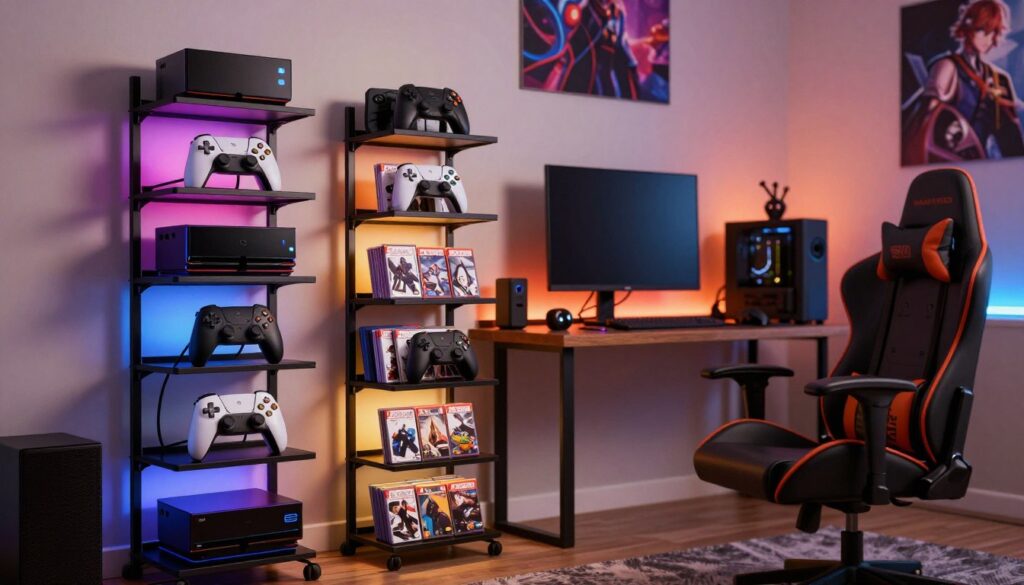
Vertical shelving units are another effective way to maximize your gaming space. These units can be used to store games, consoles, and other gaming-related items, keeping them off the floor and out of the way.
Narrow Tower Shelves
Narrow tower shelves are particularly useful in small gaming rooms where floor space is limited. They can be placed in corners or against walls, providing additional storage without taking up too much space.
| Storage Solution | Description | Benefits |
|---|---|---|
| Pegboard Displays | Customizable boards for hanging accessories | Highly customizable, keeps accessories organized |
| Grid Panels | Versatile panels for storing various items | Flexible storage options, easy to install |
| Narrow Tower Shelves | Slim shelves for storing games and consoles | Space-saving, ideal for small rooms |
Monitor Arms and Mounts
Monitor arms and mounts are essential for optimizing your gaming station. They allow you to position your monitor at the perfect viewing angle, freeing up desk space and improving your overall gaming experience.
By implementing these vertical storage solutions, you can create a more organized, efficient, and enjoyable gaming space.
Small Gaming Room Ideas for Lighting and Ambiance
Transform your gaming space into an immersive environment with the right lighting and ambiance. Effective lighting can significantly enhance your gaming experience, making it more engaging and enjoyable.
RGB LED Strip Applications
RGB LED strips are a popular choice for gaming setups due to their versatility and aesthetic appeal. They can be placed in various locations to create a unique ambiance.
Behind-Monitor Placement
Placing RGB LED strips behind your monitor can create a captivating backlight effect, reducing eye strain and adding to the overall visual appeal.
Shelf and Desk Edge Lighting
Using RGB LED strips along the edges of shelves and desks can add a futuristic glow to your gaming area, highlighting your gaming setup and accessories.
Smart Lighting Systems
Smart lighting systems offer flexibility and customization, allowing you to adjust the lighting to suit different gaming scenarios.
Philips Hue for Gaming
Philips Hue is a well-known smart lighting brand that can be integrated into your gaming setup. It offers a range of colors and brightness levels, enhancing your gaming experience.
Govee LED Light Bars
Govee LED light bars are another excellent option for gamers. They are easy to install and offer a variety of lighting effects that can be synchronized with your games.
Task Lighting for Functionality
In addition to ambient lighting, task lighting is crucial for functionality. It helps in reducing eye strain and improving visibility during long gaming sessions.
By incorporating these lighting ideas, you can create a gaming environment that is both visually appealing and functional.
Organize Cables and Reduce Visual Clutter
Maintaining a tidy gaming space requires more than just good furniture; it also involves managing cables effectively. A cluttered gaming area can be distracting and negatively impact your gaming experience. Effective cable management is crucial for creating a clean and focused gaming environment.
Cable Management Hardware
Cable management hardware is essential for keeping cables organized. It includes various tools and devices designed to manage and conceal cables.
J Channel Raceways
J Channel raceways are a practical solution for hiding cables along walls or under desks. They come in various sizes and can be cut to fit specific lengths, making them versatile for different gaming setups.
Spiral Cable Wraps
Spiral cable wraps are another effective tool for managing cables. They encase multiple cables in a spiral wrap, keeping them tidy and preventing tangles.
Under-Desk Organization
Under-desk organization is vital for maintaining a clutter-free gaming area. It involves using various solutions to manage cables and other equipment under the gaming desk.
Cable Management Trays
Cable management trays are designed to be mounted under the desk, providing a secure place to route cables. This helps keep the workspace clean and makes it easier to manage cables.
Adhesive Cable Clips
Adhesive cable clips are simple yet effective for securing cables to the desk or other surfaces. They are easy to install and can be used in various locations around the gaming area.
Power Strip Placement Strategies
Strategic placement of power strips can significantly contribute to cable management. By positioning power strips in accessible locations, you can reduce cable clutter and improve the overall organization of your gaming setup.
Consider placing power strips near your gaming desk or in a corner where they are out of the way but still accessible. This can help minimize the length of cables needed and keep the gaming area more organized.
Select the Right Color Scheme to Enhance Space
Your gaming room’s color scheme is more than just a visual aspect; it influences the mood and overall gaming environment. A well-chosen color scheme can make your gaming room feel more spacious and inviting.
The right wall colors can significantly impact the perceived size of your gaming room. By choosing colors that create a sense of openness, you can make your room feel larger than it actually is.
Wall Colors That Expand Space
When it comes to making a small room appear larger, the color palette is crucial. Certain wall colors can create an illusion of more space.
Cool Tones and Neutrals
Cool tones such as blues and greens, along with neutral shades like whites and grays, are known to create a sense of calmness and openness. These colors are ideal for small gaming rooms as they make the space feel larger.
Single Accent Wall Approach
Using a single accent wall in a bold color can draw attention away from the room’s size. This technique can create a focal point in the room, distracting from any spatial limitations.
Coordinating Your Gaming Setup
Coordinating your gaming setup with the color scheme can further enhance the overall aesthetic of your gaming room. This involves choosing peripherals and accessories that match or complement the room’s color palette.
Matching Peripheral Colors
Selecting gaming peripherals such as keyboards, mice, and headsets in colors that match your room’s color scheme can create a cohesive look. This harmony can make your gaming setup look more organized and visually appealing.
Themed Color Palettes
Adopting a themed color palette can add an extra layer of immersion to your gaming experience. Themes can be inspired by your favorite games or genres, allowing you to personalize your gaming environment.
| Color Scheme Theme | Wall Colors | Peripheral Colors |
|---|---|---|
| Dark Fantasy | Deep blues, purples | Black, red, purple |
| Neon Future | Neon greens, blacks | Neon green, black, gray |
| Retro Arcade | Bright reds, yellows | Bright red, yellow, black |
By carefully selecting a color scheme and coordinating your gaming setup, you can create a gaming room that feels more spacious and is visually appealing.
Optimize Sound Quality in a Limited Space
Achieving optimal sound quality in a small gaming room can be challenging, but there are several strategies to enhance your audio experience. Sound quality optimization is crucial for an immersive gaming experience.
Acoustic Treatment Options
Acoustic treatment is vital in small gaming rooms to minimize echo and sound reflections. This can be achieved through various methods.
Sound Absorbing Foam Panels
Sound-absorbing foam panels are an effective way to reduce echo and improve sound clarity. These panels can be placed on walls or ceilings to absorb sound waves rather than reflecting them.
Bass Traps for Small Rooms
Bass traps are specialized acoustic treatment tools designed to absorb low-frequency energy. They are particularly useful in small rooms where bass can become overwhelming.
Compact Audio Equipment
Compact audio equipment is designed to provide high-quality sound without occupying too much space. Several options are available for small gaming rooms.
Razer Leviathan Soundbar
The Razer Leviathan soundbar is a compact audio solution that offers immersive sound for gaming. It’s designed to be space-efficient while delivering high-quality audio.
Creative Pebble Desktop Speakers
Creative Pebble desktop speakers are another compact option for enhancing sound quality. They are designed for desktop use and offer clear, high-quality sound in a small form factor.
Headset Solutions for Close Quarters
For gamers who prefer a more personal audio experience, headsets are an excellent option. They provide immersive sound directly to the gamer, reducing the need for external speakers.
When choosing a headset for a small gaming room, consider factors such as sound quality, comfort, and noise isolation to ensure an optimal gaming experience.
Conclusion
By effectively utilizing the discussed small gaming room ideas, you can transform your compact gaming space into an immersive environment. The key to a successful gaming setup optimization lies in maximizing floor space, selecting compact and multitasking furniture, and implementing efficient storage solutions.
Optimizing lighting and sound quality also plays a crucial role in elevating your gaming experience. With the right combination of RGB LED strips, smart lighting systems, and acoustic treatment options, you can create a captivating atmosphere that draws you into the game.
By incorporating these small gaming room ideas into your space, you’ll be well on your way to crafting a gaming setup that is both functional and enjoyable, providing countless hours of entertainment.
FAQ
What is the best desk configuration for a very small gaming room?
To maximize your floor space, corner desk configurations are incredibly effective. You can opt for an L-shaped desk to provide maximum surface area for your PC and peripherals, or a triangular corner unit if you are working with a very tight corner. For the ultimate space-saving solution, a wall-mounted floating desk or a Murphy-style wall desk can be folded away when not in use.
How can I keep my gaming accessories organized without taking up desk space?
Implementing vertical storage is the way to go! Using a pegboard display is a fantastic way to showcase and store your controllers, while grid panels work perfectly for smaller accessories. You can also install narrow tower shelves or use monitor arms and mounts to lift your screens off the desk surface, leaving more room for your keyboard and mouse.
Which smart lighting brands do you recommend for a better gaming ambiance?
For a truly immersive experience, smart lighting systems like Philips Hue are top-tier, as they can sync directly with your on-screen action. Govee LED light bars are another excellent, budget-friendly choice that offers vibrant RGB colors. Placing LED strips behind your monitor or along the edges of your desk adds a professional glow that makes the room feel larger and more inviting.
What are some seating options that don’t take up much room?
If you don’t have space for a bulky racing-style chair, consider foldable floor chairs that can be tucked into a closet. Another smart choice is storage ottoman seating, which provides a comfortable place to sit while doubling as a hidden compartment for extra cables or physical game copies.
How can I manage cable clutter effectively in a tight setup?
Managing wires is crucial for a clean look. You can use J Channel raceways or spiral cable wraps to bundle your cords together. Under-desk organization tools, such as cable management trays and adhesive clips, help keep power strips and bulky adapters off the floor, creating a much sleeker visual environment.
