Unlock Productivity: Essential Apps for Remote Work


Doing your job from home offers freedom but also presents unique hurdles. Many professionals struggle to stay focused without a regular office nearby to keep them on track. Finding the right balance requires more than just a strong internet connection.
You need a dedicated space that helps you think and avoids noisy distractions during your busy hours. Setting clear limits between home life and career duties is very helpful to maintain a healthy schedule. This method keeps you steady all day long.
Utilizing remote productivity tools can change your daily routine from messy to organized. These digital helpers make tasks easier and keep the team talking and flowing smoothly. Picking the right software helps you get your time back and reduce stress significantly.
This guide explores various solutions designed to boost your output regardless of your location. We will look at how these innovations foster collaboration among colleagues. Get ready to transform your professional life with smart technology.
Using these new systems allows you to handle tough projects with much more ease. Modern technology provides the bridge needed to stay connected with your teammates. You can achieve your goals while enjoying the flexibility of your own spot.
Why the Right Apps Transform Your Remote Work Experience
In today’s remote work landscape, leveraging the right apps is key to unlocking your team’s full potential. The right remote work apps can make a significant difference in how teams collaborate, manage their time, and stay organized.
Effective collaboration is the backbone of any successful remote team. Productivity software designed for team collaboration enables members to communicate seamlessly, share ideas, and work together on projects in real-time. This not only fosters a sense of unity among team members but also ensures that projects move forward without a hitch.

Organization is another critical aspect of remote work that the right apps can greatly improve. With the help of project management tools, teams can keep track of tasks, deadlines, and progress. This level of organization helps in reducing confusion and ensures that everyone is on the same page.
Time management is equally important for remote workers. Apps designed for time tracking and focus enhancement help individuals stay on task and avoid distractions. By understanding where their time is spent, remote workers can optimize their workday to be more productive.
By enhancing collaboration, organization, and time management, the right remote work apps can significantly transform the remote work experience. They make it possible for teams to work more efficiently, achieve their goals, and maintain a healthy work-life balance.
Communication Apps That Keep Your Team in Sync
Effective communication is the backbone of any successful remote team, and the right tools can make all the difference. In today’s virtual workspaces, team collaboration software plays a vital role in ensuring that team members stay connected and work together seamlessly.
The following sections will delve into three popular communication apps that have revolutionized the way remote teams interact: Slack, Zoom, and Microsoft Teams. These platforms offer a range of features designed to enhance team collaboration and productivity.
Slack: Centralize Your Team Conversations
Slack is a powerful team collaboration software that centralizes team conversations, making it easier to stay organized and focused. With Slack, teams can create multiple channels for different topics, projects, or departments, ensuring that information is neatly categorized and easily accessible.
Channel Organization and Direct Messaging
Slack’s channel organization feature allows teams to create dedicated spaces for different discussions, reducing clutter and making it easier to find relevant information. Additionally, direct messaging enables team members to have private conversations, facilitating quick decisions and feedback.
Integration with Other Productivity Tools
One of Slack’s strongest features is its ability to integrate with a wide range of productivity tools and services. This means that teams can bring their favorite apps into Slack, streamlining their workflow and reducing the need to switch between different applications.

Zoom: Professional Video Meetings Made Simple
Zoom has become synonymous with video conferencing, offering a reliable and feature-rich platform for remote meetings. Its simplicity and ease of use have made it a favorite among remote teams worldwide.
Screen Sharing and Recording Capabilities
Zoom’s screen sharing feature allows team members to share their screens with others, making it easier to collaborate on projects and present ideas. The recording capability also enables teams to capture meetings for future reference or for those who couldn’t attend.
Breakout Rooms for Team Collaboration
Zoom’s breakout rooms feature allows teams to divide into smaller groups for more focused discussions or brainstorming sessions. This feature is particularly useful for larger teams or for projects that require collaboration among different subsets of team members.
Microsoft Teams: Enterprise-Grade Communication Platform
Microsoft Teams is a comprehensive communication platform designed for enterprises. It integrates chat, calls, and file sharing into one place, making it an ideal solution for teams that require a robust and secure collaboration environment.
Chat, Calls, and File Sharing in One Place
Microsoft Teams offers a unified workspace where teams can chat, make calls, and share files. This integration eliminates the need to switch between different apps, enhancing productivity and streamlining communication.
Best Productivity Apps for Remote Work: Project Management Tools
Effective project management is the backbone of any successful remote team, and the right tools can make all the difference. With numerous options available, selecting the best productivity apps for project management can be daunting. This section will explore some of the top project management tools that can help remote teams stay organized and productive.
Asana: Organize Projects with Visual Workflows
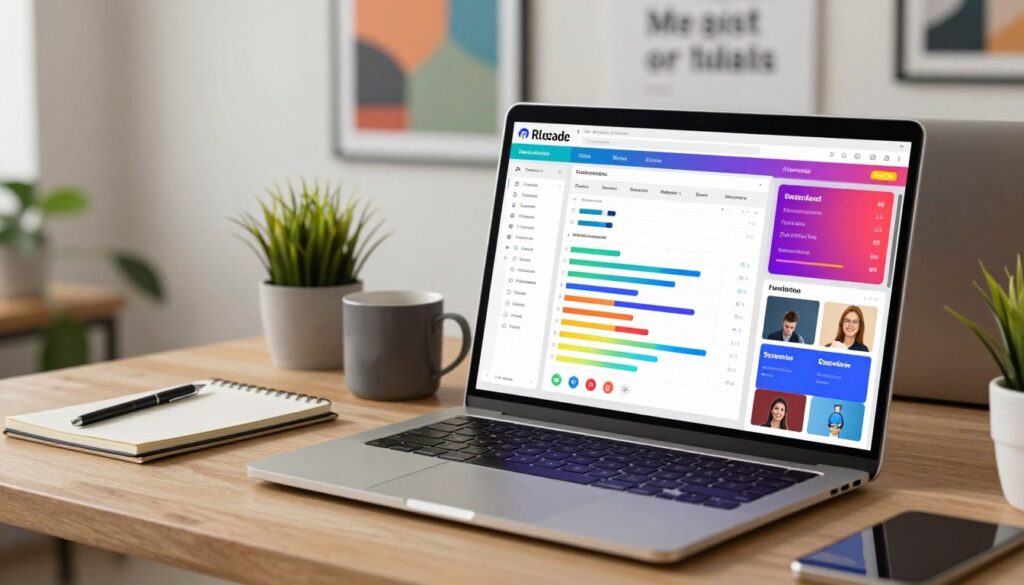
Asana is a powerful project management tool that helps teams stay organized and on track. It offers a range of features that enable teams to manage tasks, projects, and workflows effectively.
Task Assignment and Progress Tracking
Asana allows team leaders to assign tasks to team members and track progress in real-time. This feature ensures that everyone is aware of their responsibilities and deadlines, promoting accountability and transparency.
Timeline and Calendar Views
Asana’s timeline and calendar views provide a visual representation of project schedules, making it easier to plan and manage tasks. These features help teams identify potential bottlenecks and dependencies, enabling proactive adjustments to project plans.
Trello: Intuitive Kanban Boards for Any Workflow
Trello is another popular project management tool that utilizes Kanban boards to visualize workflows. Its intuitive interface makes it easy for teams to adopt and start managing their projects effectively.
Drag-and-Drop Simplicity
Trello’s drag-and-drop functionality allows team members to easily move tasks across different stages of a project, providing a clear visual representation of progress.
Power-Ups for Extended Functionality
Trello’s Power-Ups feature enables teams to extend the functionality of their boards by integrating with other apps and services, such as Google Drive, Slack, and more.
Monday.com: Flexible Work Operating System
Monday.com is a work operating system that offers a flexible and customizable platform for managing projects and workflows. It provides a range of features that cater to different team needs.
Customizable Dashboards and Automation
Monday.com allows teams to create customized dashboards that reflect their specific needs. Additionally, its automation features help streamline repetitive tasks, reducing manual effort and increasing productivity.
Time Management and Focus Apps to Maximize Your Day
To boost productivity, remote workers need apps that help manage time effectively. In the realm of remote work, staying focused and managing time wisely are crucial skills. The right productivity apps can make a significant difference in how efficiently you work.
Let’s dive into some of the most effective time management and focus apps designed to help you maximize your day. These tools are designed to help you understand where your time goes, prioritize tasks, and stay on track.
RescueTime: Understand Where Your Time Actually Goes
RescueTime is a powerful tool that tracks how you spend your time on your computer or mobile device. It provides insights into your daily habits, helping you identify areas where you can improve your productivity.
Automatic Activity Tracking
One of the standout features of RescueTime is its ability to automatically track your activities. This means you don’t have to manually log your time; the app does it for you, giving you an accurate picture of how you’re spending your day.
Detailed Productivity Reports
RescueTime also generates detailed productivity reports. These reports categorize your activities into productive, unproductive, or neutral, giving you a clear understanding of how your time is being utilized.
Todoist: Master Your Daily Tasks and Long-Term Goals
Todoist is a task management app that helps you organize your work and personal life. It’s designed to help you prioritize tasks, set deadlines, and track your progress.
Natural Language Task Entry
One of Todoist’s most user-friendly features is its natural language task entry. You can enter tasks in a conversational format, making it easy to quickly add new tasks to your list.
Priority Levels and Recurring Tasks
Todoist also allows you to assign priority levels to tasks and set recurring tasks. This feature is particularly useful for managing regular responsibilities and ensuring that critical tasks are addressed promptly.
Toggl Track: Simple Time Tracking for Accountability
Toggl Track is a straightforward time-tracking tool that helps you understand how much time you spend on different tasks and projects. It’s designed to be simple and intuitive, making it easy to use.
One-Click Time Entries
A key feature of Toggl Track is its one-click time entries. This functionality allows you to start and stop timers with ease, ensuring that you accurately track your time without unnecessary complexity.
By leveraging these time management and focus apps, remote workers can significantly enhance their productivity. Whether it’s understanding where your time goes, mastering your tasks, or simply tracking your time, these tools offer practical solutions to common challenges faced by remote teams.
Cloud Storage and Documentation Apps for Seamless Access
In today’s remote work landscape, having the right cloud storage and documentation apps is crucial for seamless collaboration and access to important files. These tools enable teams to work together more effectively, regardless of their physical location.
Google Workspace: Collaborate on Documents in Real Time
Google Workspace is a comprehensive suite of productivity tools that includes Google Docs, Sheets, and Slides. It allows teams to collaborate on documents in real-time, making it an ideal solution for remote work.
Docs, Sheets, and Slides Integration
Google Workspace integrates seamlessly across its various applications, allowing users to create and edit documents, spreadsheets, and presentations with ease. This integration enables a smooth workflow and enhances collaboration.
Sharing and Permission Controls
Google Workspace provides robust sharing and permission controls, enabling users to control who can view or edit their files. This feature ensures that sensitive information is protected while still allowing for collaborative work.
Dropbox: Reliable File Storage and Synchronization
Dropbox is a popular cloud storage solution that offers reliable file storage and synchronization across devices. It is designed to keep files up-to-date and accessible from anywhere.
Smart Sync for Space Management
Dropbox’s Smart Sync feature allows users to manage their storage space effectively by saving files online only, freeing up local storage on their devices.
File Recovery and Version History
Dropbox also offers file recovery and version history features, which enable users to recover deleted files or revert to previous versions of a document. This provides an additional layer of security and peace of mind.
Notion: Build Your Custom Workspace
Notion is an all-in-one workspace that allows users to create a customized environment for their notes, databases, and wikis. It is highly flexible and can be tailored to meet the specific needs of any team or project.
Notes, Databases, and Wikis Combined
Notion combines the functionality of notes, databases, and wikis into a single platform. This allows users to create a centralized hub for all their information, making it easily accessible and manageable.
Conclusion
The right productivity apps can significantly enhance your remote work experience. By utilizing effective remote productivity tools, you can streamline your workflow, improve communication with your team, and stay organized.
As discussed, various productivity software options are available to cater to different needs. For communication, apps like Slack, Zoom, and Microsoft Teams can keep your team in sync. Project management tools such as Asana, Trello, and Monday.com help organize projects and workflows. Time management and focus apps like RescueTime, Todoist, and Toggl Track enable you to maximize your day. Cloud storage and documentation apps, including Google Workspace, Dropbox, and Notion, provide seamless access to your files.
By incorporating these remote productivity tools into your daily routine, you can experience a significant boost in productivity. Explore these options to find the best fit for your needs and watch your remote work experience transform.
FAQ
How can communication apps like Slack or Microsoft Teams improve my team’s daily workflow?
These apps transform the remote experience by centralizing conversations and reducing email clutter. Slack is fantastic for channel organization and quick direct messaging, while Microsoft Teams offers an enterprise-grade platform that brings chat, calls, and file sharing into one cohesive space, ensuring everyone stays in sync.
What makes Asana different from Trello when it comes to managing projects?
It mostly comes down to how you like to visualize your work. Trello uses intuitive Kanban boards with drag-and-drop simplicity that is perfect for many different types of workflows. Asana provides more detailed visual workflows, including timeline and calendar views, which are excellent for complex task assignment and progress tracking.
Can I really boost my productivity using time management apps like RescueTime or Toggl Track?
Absolutely! These tools provide the accountability needed when working from home. RescueTime offers automatic activity tracking and detailed productivity reports to show you where your time actually goes. Toggl Track offers a simpler approach with one-click time entries, helping you stay mindful of the time spent on specific projects.
Why should our team use Google Workspace for documentation?
Google Workspace is the leader in real-time collaboration. It allows multiple team members to work on Docs, Sheets, and Slides simultaneously. With built-in sharing and permission controls, it ensures that everyone has seamless access to the most up-to-date information without the need for constant file uploading.
Is Notion a better choice than traditional file storage like Dropbox?
They actually serve different purposes! Dropbox is a powerhouse for reliable file storage, synchronization, and version history. Notion, however, acts as a custom workspace where you can combine notes, databases, and wikis. Many remote workers use Dropbox to store their heavy assets and Notion to organize their knowledge base and documentation.
